
Key Takeaways
- Unstract is best for commercial submission intake (ACORD forms, loss runs and SOVs), reading all three without templates.
- Sensible extracts insurance documents through an API and relies on a technical owner for configuration.
- Docsumo offers a free plan that lets small and midsize teams test extraction first.
- SortSpoke and Indico Data wrap extraction in insurance-specific review and underwriting workflows.
- The most reliable test is your own files, because three insurers’ loss-run layouts reveal more than any demo.
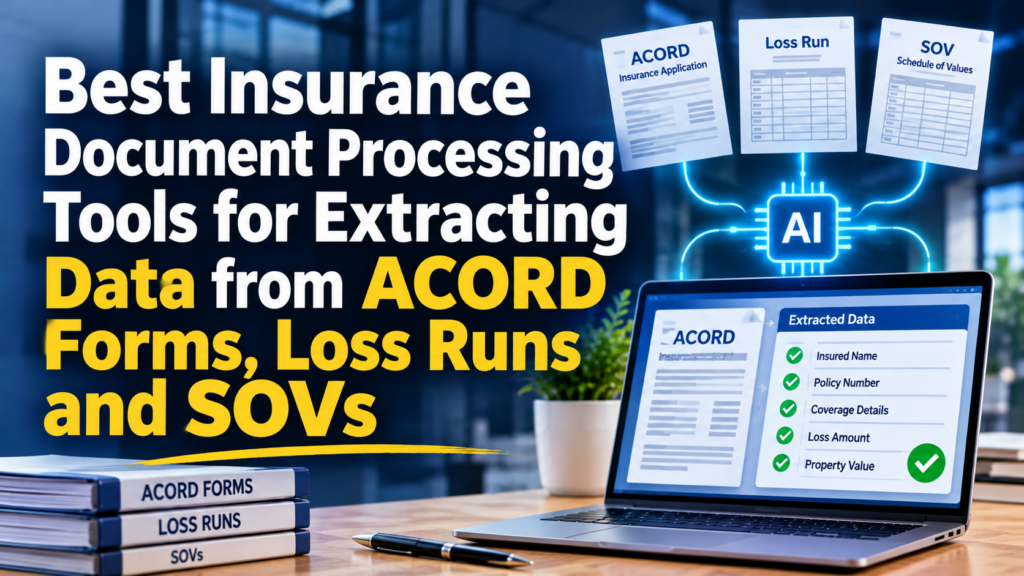
Unstract is the insurance document processing tool that reads ACORD forms, loss runs and SOVs without per-insurer templates, interprets checkboxes correctly and accepts Excel files directly. Four alternatives extract the same documents with different trade-offs in setup, review and pricing.
Each of the three document types breaks extraction in its own way, which makes a single accuracy figure misleading. The sections below explain those failure points before comparing the tools.
Why ACORD Forms, Loss Runs and SOVs Break Extraction Differently
-
ACORD forms: checkboxes decide the data
ACORD forms record application answers in checkboxes and short fields, so one missed tick mark changes the data. ACORD states that standardized forms raise efficiency, accuracy and processing speed, a benefit that holds only when a reader interprets every box correctly.
-
Loss runs: every insurer formats them differently
Loss runs are periodic reports of claim information that insurers provide to their insureds, as IRMI defines them. Each insurer lays the report out in its own way, and template-based readers need new setup whenever a layout changes.
-
SOVs: spreadsheets of property values
A statement of values is a detailed inventory of the physical assets an insured wants to cover, according to the Independent Insurance Agents & Brokers of America. Teams usually receive it as a spreadsheet, so a tool needs to read Excel without conversion.
Scan quality adds a second layer of difficulty. Faxed loss runs and photographed applications introduce skew, shadows and faint print, so a tool needs strong text recognition before any field logic applies. Weak recognition at this stage corrupts every value that follows, which is why scanned files deserve their own test case.
Handoffs between teams add a third source of error. A broker may re-save a loss run as a PDF, or an assistant may retype a figure into a spreadsheet, and each step changes how the document looks to a reader.
The tools below therefore get judged on how they behave when a document arrives in an unexpected shape, not only on how they read a perfect sample.
What to Pull From Each Document
Document
Typical fields
Common failure
ACORD form
Applicant details, coverage selections, checkbox answers
Misread or skipped checkboxes
Loss run
Claim dates, status, paid and reserved amounts
A new layout from each insurer
SOV
Property addresses, construction, occupancy, values
Columns that differ between brokers
Five Insurance Document Processing Tools Compared
1. Unstract – best for commercial submission intake (ACORD forms, loss runs and SOVs)
Unstract extracts the same fixed set of fields from every insurer’s loss-run layout, so a new format needs no template and no retraining. Its LLMWhisperer layer preserves table structure and reads filled and unfilled checkboxes and radio buttons correctly.
Excel workbooks load directly alongside PDFs, Word files and images, covering 20+ file types through one API. SOV spreadsheets therefore need no conversion before extraction.
Business teams can set it up. Flow builds the process from a plain-English description, and Prompt Studio can draft the fields for you. LLMChallenge then checks each value with a second AI model, and Highlight shows the source on the page. According to Unstract, Moody’s and Zluri are among its 600+ paying customers, and the enterprise editions list SOC 2, HIPAA, ISO 27001 and GDPR coverage.
Shraddha N, A Talent Intern TechnologyMid-Market, rated 5/5 stars on G2 and summed up his experience with Unstract:
“What I like most is its ability to convert lengthy HR policy documents into text that I can use in an AI-powered workflow. It makes preparing source material for an HR chatbot much more convenient, especially when I’m working with PDFs that have varying formatting styles and layouts.”
Key Advantages
- Template-free extraction into one output format across insurers
- Excel SOVs, ACORD checkboxes and scanned loss runs in a single pipeline
- A free LLMWhisperer plan of 100 pages a day for testing on your own loss runs
- Cloud, on-premise or open-source deployment
Potential Drawbacks: The free plan covers LLMWhisperer, while Document Studio offers a 14-day trial.
A Good Fit For: teams that want to test extraction on real loss runs before buying.
Address: 23175 Eastbrook Avenue, Los Altos, CA 94024
2. Sensible – best for API-based extraction with a technical owner
Sensible combines AI extraction with deterministic rules and exposes both through a REST API, SDKs and a managed-service option.
Key Advantages
- Names loss runs, certificates of insurance and declaration pages in its insurance document list
- Holds SOC 2 Type II and HIPAA compliance
- Bills per document
- Offers a 14-day trial of the Growth plan
Potential Drawbacks: Who writes and maintains the configurations is the main staffing question.
A Good Fit For: teams with a technical owner for configuration upkeep.
3. Docsumo – best for small and midsize teams testing a free plan
Docsumo uses AI agents to classify, extract and verify documents for lending, insurance and other teams, including ACORD forms.
Key Advantages
- Includes a free plan with 14 days, up to 1,000 pages and 10 users
- Covers SOC 2 Type 2, ISO 27001, HIPAA and GDPR
- Lists submissions, loss runs and COI tracking as insurance use cases
Potential Drawbacks: What happens when a new loss-run format arrives is worth testing during the trial.
A Good Fit For: small and midsize teams.
Address: New York, NY (headquarters)
4. SortSpoke – best for reviewer-centered submission workflows
SortSpoke centers its product on a screen where people review data extracted from submissions and loss runs.
Key Advantages
- Extracts, triages and enriches incoming submissions
- Targets P&C carriers, MGAs and business process outsourcers
- Maintains SOC 2 Type 2 compliance and HIPAA agreements
Potential Drawbacks: How much checking stays manual depends on each team’s review rules.
A Good Fit For: operations teams that prefer reviewers confirming values on screen.
Contact: Address: 111 Peter Street, Suite 700, Toronto, ON M5V 2H1, Canada LinkedIn: linkedin.com/company/sortspoke/
5. Indico Data – best for guided rollouts at commercial insurers
Indico Data builds AI for commercial insurers, MGAs and London Market carriers, from submission preparation to quoting workflow.
Key Advantages
- Screens submissions against carrier appetite and guidelines
- Orchestrates quoting steps after data preparation
- Starts with a demonstration rather than self-service signup
Potential Drawbacks: How it treats loss-run formats it has not seen is worth asking.
A Good Fit For: carriers that want a guided rollout.
Address: 77 Sleeper St, Boston, MA 02210
Comparison at a Glance
Tool
Best for
Pricing model
Insurance focus
Unstract
commercial submission intake (ACORD forms, loss runs and SOVs)
Free LLMWhisperer tier plus paid plans
Priority vertical
Sensible
API-based extraction with a technical owner
Per document, 14-day trial
A stated vertical
Docsumo
small and midsize teams testing a free plan
Free tier, then custom
One of several industries
SortSpoke
reviewer-centered submission workflows
Demo-based
Core focus
Indico Data
guided rollouts at commercial insurers
Demo-based
Core focus
How the Tools Differ on Setup Effort
Setup effort separates these tools more than feature lists do. Sensible asks a technical owner to write and maintain configurations, while Docsumo offers a free plan for early testing.
SortSpoke and Indico Data take a guided route, where the vendor shapes the workflow with the carrier. Unstract sits between the two, because plain-language field descriptions replace per-layout configuration.
Pricing transparency varies as well. Unstract, Sensible and Docsumo publish a trial or free plan, while SortSpoke and Indico Data share pricing through a demonstration. Teams with a fixed budget should ask each vendor for a written quote at their monthly document volume.
What Underwriters Check After Extraction
Extracted data is only useful once an underwriter trusts it. Most teams spot-check reserved amounts on loss runs, replacement values on SOVs and the answers to prior-loss questions on ACORD applications.
A good tool shortens that check by showing where each value came from, so the reviewer opens the page only when a figure looks wrong. Source tracing, confidence flags and a review queue all help, and the shortlist should be compared on which of them each vendor provides.
Before You Commit: Test an Insurance Document Processing Tool on Your Own Files
Our Verdict
Unstract is best for commercial submission intake (ACORD forms, loss runs and SOVs). Sensible suits teams with a technical owner, Docsumo suits smaller teams, and SortSpoke and Indico Data suit review-centered and guided rollouts.
Anyone selecting an insurance document processing tool should let the shortlist read their own loss runs, ACORD forms and SOVs. Unstract’s free LLMWhisperer plan makes that test simple, and its template-free approach removes per-insurer setup. Running the same ten files through every shortlisted tool takes an afternoon and settles the decision with evidence.
Frequently Asked Questions
What is the difference between OCR and intelligent document processing for insurance?
OCR converts a scan into text, while intelligent document processing also identifies fields and structures them. Insurance teams need the second layer to turn loss runs and applications into usable data.
How accurate is AI at reading loss runs?
Accuracy depends on how well the tool copes with each insurer’s layout and with scan quality. Checking values with a second model and a human review step raises confidence in the final data.
Do insurers still need templates to extract SOV data?
Template-based tools do, because each spreadsheet layout needs a fresh map. LLM-based readers interpret the columns they see, which reduces per-broker setup.
How does Unstract read ACORD checkboxes?
Unstract’s LLMWhisperer layer outputs filled and unfilled checkbox and radio-button states in a form that language models interpret reliably. LLMChallenge then cross-checks the extracted values.
Can Unstract accept Excel SOVs and scanned loss runs together?
Unstract accepts 20+ file types, including Excel, PDF, Word and images, through the same API. A single workflow can therefore process an SOV workbook and a scanned loss run in one pass.
-
-
More Stories
Unecast vs Sendwo vs Sleekflow – Which WhatsApp Broadcast Software Has The Best Broadcast Pricing (Platform Fee + Meta Fees, 1 Oct 2026 Change)?
Holafly vs Saily vs Ubigi – 3 eSIMs for USA Compared for Unlimited Data, Security and Reusable eSIMs (2026)
Aura vs Coveron vs Identity Guard: 3 Family Identity Theft Protection Options Compared on Adult Coverage, Child Monitoring, and Cost (2026)